Showing posts with label Canvas. Show all posts

How to root Micromax A116 Canvas HD


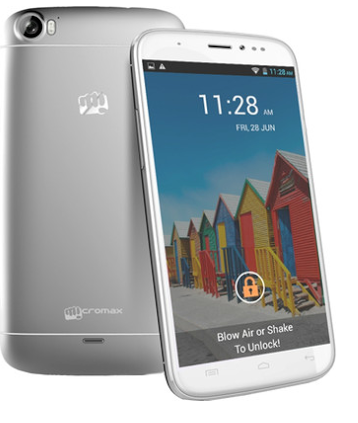
Micromax A116 Canvas HD is one of the most important smartphone in the entire journey of MMX that has helped them to reach at a stable stage on which they are performing now. Canvas HD is one of the first quad core phablet that has motivated other companies to bring their quad core pieces in the Indian market. One of my friend is using Micromax Canvas HD for 5-6 months now and till today he hasn’t faced any kind of bugs with his phone (despite of using lots of apps and games). So all in all it is a superb phone at low price tag that has become the first choice of all quad core lovers in India.

Specification wise it wears a 5 inch PIS LCD screen with 1280x720 pixels resolution. It shows vibrant colors which are efficient than other smartphones of similar class. It runs on Android 4.2 Jellybean OS (latest model) with the power of a quad core 1.2 GHz processor paired up by 1 GB RAM. I have myself experience the power of its processing system. As a performance test, me and my friend has executed 6 continuous apps/downloads on Canvas HD and Canvas 4. Although Canvas 4 was slighter better but Canvas HD performed all the tasks very well which were perfect according to its price tag.

Its 8 MP rear and 2 MP front facing cameras further magnifies its performance with 3G support. So all in all it is one of the best and reliable choices for all medium budget smartphone seekers. It could even beat devices like Galaxy Grand when compared on specification basis.

In spite of having such wonderful specification set there is still a chance of improvement. You can magnify its performance by rooting it. After rooting you can install following things on your Canvas HD:

• Latest ROMs (Android 4.3 Jellybean or Android 4.4 KitKat)
• Recoveries
• Apps with rooting permission
• Lots more

Apps with rooting permission include some very high end apps that can eventually transform your smartphone completely. These can help you modifying your phone from speed, security measures.

How to root Micromax A116 Canvas HD

At first download and install PDANet from here and after that please follow these instructions from here. It is a simple procedure that asks you to download and use a customized tool on your computer. So you are advised to carry Computer (with internet facility), your smartphone and original USB cable along with you.

ADVERTISMENTS

How to root Micromax Canvas Blaze MT500


Micromax Canvas Blaze MT500 is one of the latest MMX smartphone that is stuffed with some powerful and usual MMX specifications. Micromax is promoting it well on various medias/platforms. It is a dual SIM smartphone with the support of GSM and CDMA. Frankly speaking then this smartphone latches somewhere with its specs (in accordance to its price). It is a standard Jellybean phablet that occupies a 5 inch 954x480 pixels screen. It supports 262K colors only. It is really a bad indication for a device called “SMARTPHONE”.

It is powered by a 1 GHz dual core processor with the support of 768MB RAM. 768 MB RAM again seems to be somewhat less and it might create some major issues with heavy apps/loads. 8 MP rear and VGA front facing camera plays decent roles at respective places. It equips a 4 GB inbuilt memory chip that stores enough data in its on-board memory. But still if you need additional memory then you can easily do it with the help of normal SD card. Its 1850 mAh battery is supposed to give about 5 hours talk time and 5 days standby time.

This is all about this latest Micromax smartphone. You might have noted that this smartphone lacks in many features like less RAM, VGA front facing camera etc. It retails around Rs. 10,500 tag approx. Talking about phones (at this range) from other manufactures then they are offering much better specs with better quality even. But you can still match that level (level of other devices) by rooting your MMX Canvas Blaze MT500. Rooting will enable you to have custom ROMs (Android 4.3 Jellybean or Android 4.4 KitKat) live on your Canvas Blaze. This will even open the doors for special Apps that can completely transform your smartphone in a positive manner. But rooting will void your warranty which is not a good thing (especially for nerds).

How to root Micromax Canvas Blaze MT500

Rooting Canvas Blaze is a very easy task that can be done by following two simple steps (with sub-steps). Here are those 2 steps:

Step 1
Step 2

These steps will root your MMX MT500 in minutes. If you need any guidance then please ask me by commenting here.

ADVERTISMENTS

How to root Micromax A250 Canvas Turbo


With the new face and new set of specifications, Micromax has proudly launched Micromax Canvas Turbo A250 in Indian market. At present it is the current flagship of our own Indian smartphone giant Micromax. This smartphone can be taken as the extension of MMX A240 Canvas Doodle 2. Company has extended almost the entire set of specs of Doodle 2 which is superb from customer’s point of view.

I have myself used this smartphone for about 2 weeks and believe me it is one of the best MMX smartphone that I have used/tested till now. This smartphone will provide you superb full HD resolution with real time running and very smooth and fast transitions. Its quad core 1.5 GHz chipset processor with 2GB RAM will never let you experience any kind of time lags while browsing its internal functions or even during internet sessions.

It boasts a 5 inch full capacitive screen that have IPS type screen with full HD resolution support. It is a 3G smartphone with 13 MP rear and 5 MP front facing camera. Camera is stuffed with various high end features.

I know all these features seem very approaching and some of you (almost all) will be fully satisfied with these specs. But there is still a chance of improvements (particularly in ROM update sector). The thing which will help you here is called Rooting. After rooting your MMX Canvas Turbo A250, you will be able to upgrade your smartphone with latest custom firmwares/ROMs. You will also be eligible for downloading all rooting required apps that can eventually transform your smartphone into a real one. Here I am going to give you a working procedure about how to root Canvas Turbo. But please note that it will void your warranty and you will not a liable for asking for any kind of official support (that comes under warranty), so please proceed carefully.

How to root Micromax A250 Canvas Turbo

MMX Canvas A240 and A250 Turbo are built on almost similar platform. I have already shared one procedure for rooting Canvas Doodle 2. You can check it from here. All the steps and downloading files are similar for both the smartphones. Please report errors (if any) as comments.

ADVERTISMENTS

How to root Micromax A74 Canvas Fun


Micromax is on the way of adding new smartphones/phablets to its Canvas series. Now it has added MMX Canvas Fun A74 to its portfolio. Talking about the specs then it is a high end smartphone that captures a 4.5 inch 854x480 pixels capacitive touch screen. It is a dual core smartphone that works with 1.2 GHz clocking and 512 MB RAM.

It is a dual SIM (GSM+GSM) smartphone that equips a 5 MP rear and VGA front facing camera. You can use front facing camera for self portrait and video chat purpose. It comes with 2G/3G, Wi-Fi, Bluetooth and USB connectivity. All the connectivity tools are high enough for providing a world class connectivity experience. 1500 mAh battery provides about 6 days standby and 5 hours talk time for standard networks.

Talking about the conclusion, then it completely verifies its price sticker (Rs. 750 approx). But you can still improve its overall specs to great extent. All you need to do is to root it. You can root it within minutes with a very easy to use tool.

After rooting, you will be able to host some custom apps (very high end in nature) on A74 that requires rooting permissions. These apps will allow you to manage various things to next level. It includes better clocking, file management, security etc. All in all, rooting will upshift your Canvas Fun to further heights. But it will void your warranty which is the only con of rooting process. At present (Sep 2013), Canvas Fun is a new piece. So it might be somewhat risky to root it. But if you still want to proceed, then here I am giving you the complete procedure.

How to root MMX Canvas Fun A74

1. Download Bin4Ry to desktop. Extract it on desktop or some other location which you can remember later.
2. Now connect A74 to computer and open the RunMe.bat file in the extracted folder.
3. Now in the command prompt, enter “1” for initiating the rooting process.

That’s it! You have rooted your Canvas Fun. Now simply reboot it and start enjoying all the custom features. You can ensure the rooting status from Root Checker app. You can easily find it on play store.

ADVERTISMENTS

How to root/un-root Micromax A240 Canvas Doodle 2


Micromax A240 Canvas Doodle 2 is the biggest smartphone from Micromax (screen wise). It is the MMX flagship after A210 canvas 4. It houses a 5.7 inch wide screen that was not seen with any other Micromax phablet/smartphone. Till now MMX was fully glued to 5 inch screens only. For the very first time they have tried such gutty thing. According to many tech gurus, Canvas Doodle 2 is launched for competing with Galaxy Note series of Samsung (especially Galaxy Note 2) and it can be taken as the Indian version of Galaxy Note 2. To some extent it seems to be quite true.

Its screen wears 1280x720 pixels HD resolution which is sufficient for any smart class gadget. It runs on Android 4.2.2 Jellybean OS which is stocked with all latest software features. It is upward compatible with canvas 4 (on software aspect) means like Canvas 4 it too houses smart features like blow to unlock, smart stay, video pause etc.

It is powered by a quad core 1.2 GHz processor with 1 GB RAM. It is the like trademark of all Canvas quad core phablets. All are clocked on same frequency with similar RAM. Other feature includes 12 MP rear, 5 MP front facing cameras, dual SIM compatibility, 2600 mAh battery etc. so all in all it is a nice piece that has real wide screen.

I know we are never satisfied with the thing we have. Same is the case with electronic gadgets. We always want something additional. In case of MMX Canvas Doodl2, it can be made possible with help of rooting. Here I am going to cover a very simple rooting tutorial for Canvas Doodle 2 which will root it in minutes. But please not it will void your warranty which is not a good thing now (as it is a new piece currently). So this tutorial is not for all the users. Please try it on your own risk.

How to root Micromax A240 Canvas Doodle 2

1. Download and extract the Bin4ry tool to computer.
2. Enable USB as Debugging (from Settings>>Development menu) and connect Doodle 2 to computer via USB cable.
3. Go to extracted folder and open RunMe.bat file.
4. Wait till you see command prompt on your computer’s screen.
5. Enter “1” now.

Now you have followed all the steps which will root your Canvas Doodle 2 successfully. If you want to un-root it then you will have to press “x” in place of “1” in 5th step.

ADVERTISMENTS

How to root Micromax Canvas Bolt A67


Micromax Canvas Bolt A67 is the latest smartphone from MMX which comes with high end features at low price sticker. It is an addition to famous Bolt series which is known for Swipe and Share feature. I don’t know whether this particular smartphone comes with this highlighting feature or not but in case if it doesn’t houses S&S feature, then please let me know through comments. I will guide you about how to install that Swipe and Share feature inside MMX Bolt A67.

Talking about other features then it comes with:
• 4.5 inch IPS screen
• Android ICS OS
• Dual core 1GHz processor
• 512 MB RAM, 4 GB ROM
• 150 mAh battery
• Bluetooth, Wi-Fi, GPS connectivity
• Dual SIM
• Lots more

Although these features are perfect for the price it retails around but still you can magnify them further. You can easily modify its overall specs with help of rooting. Rooting will allow doing self customizations in various fields which improves device from security, performance aspects. It might even clock up your A67 Bolt.

How to root Micromax Canvas Bolt A67

1. Battery level should be maintained around 70%+.
2. Download MMX A67 Bolt drivers from PdaNet.
3. Download the Rooting package to computer.
4. Take the USB chord (which you got inside Bolt A67 kit) and interface your mobile with computer.
5. Extract the rooting package and select RunMe.bat file.
6. Now enter “1” in command prompt (which you will get after opening RunMe.bat file).

It will root your Bolt A67 in 2-5 minutes. Now reboot your smartphone and download Root Checker App from Play Store. This app will verify rooting status of your smartphone. If it shows “Device is Rooted” or something like then you can proceed further will all the rooting privileges. If it shows some kind of errors with rooting status then sadly you will have to repeat all the steps again.

ADVERTISMENTS

Top 5 best custom ROMs for Micromax A110 Canvas 2


Micromax A110 Canvas 2 is one of the best phablet in India right now. It is equipped with amazing specs at low price tag. But still we all want something extra something additional. Here come the custom ROMs to play which stuffs improved updated features inside original gadgets.

Canvas 2 is lucky enough to receive love from custom developers. As a result of which it has received various ROM updates in near past. Most of users are confused about best ROMs for MMX Canvas 2. So here I come with a list of top 5 best ROMs for Canvas 2. You can use any of these 5 ROMs provided you have already rooted your Canvas 2. Don’t worry, if you haven’t rooted it yet, you can easily do so by following this tutorial.

Top 5 ROMs for Micromax A110 Canvas 2

1. XR650 v7 Custom ROM

This ROM is developed especially for gaming fans. It turns the Canvas 2 look into standard Galaxy S4 interface. With this ROM, you will get Galay S4 similar interface on Canvas 2. Also it is error free ROM that supports all other functions beautifully. Download it from here.

2. Lewa OS

It is a popular Canvas 2 ROM that is used by thousands of users. This ROM was launched for providing a variation from usual interface. It received mixed response from users but still if you want to modify your interface then it is a must try ROM for you. Use this link for downloading it.

3. Dzire ROM

It is a pre-rooted ROM that is based on Xperia interface. It brings very high end changes to Canvas 2 with features like face-lock, backup app etc. This ROM is enriched with some very high class features which makes it a perfect piece for geeky users. It can be downloaded from here.

4. Raven ROM

Raven ROM provides a dark themed interface with a complete new exclusive look. However it comes with a bug about force shutdown. But if we keep this bug aside, then its other features pushes it in the list of best ROMs for Canvas 2. Download link.

5. JMP ROM

If you love speed and action then it is a perfect ROM for you. This ROM comes with ultra-fast speed that performs usual tasks in fraction of seconds. Like Dzire ROM, it is too based on Sony interface. But it showcases some additional features than Dzire ROM. You should give it a try too. Download.

How to apply/flash above 5 ROMs

You can apply these ROM like any other custom ROM. At first move these ROM files to Canvas 2’s SD card then boot to recovery, select install zip from SD card option and choose the downloaded file. Let me know if you need some additional information.

ADVERTISMENTS

How to root Micromax A110 Canvas 2 with easiest method ever


Micromax A110 Canvas 2 is the super phone from Micromax. It is one of the best hostellers from MMX ever. This is the phone which made MMX a star over last few months. It retails around Rs. 10K price slot. Varies other companies have tried to beat it with highly specs packed machines at same price but nothing worked in front of Canvas 2. All in all it is the unbeaten king of Rs. 10K slot.

It is one of the rare smartphone from MMX which has received high number of launch after development. It has received the love from both officials as well as custom ROM developers. However, still custom developers win this race with plethora of ROMs, recoveries etc. In order to have all that update inside your Canvas 2, you need to root it first.

I am sure you might have searched a lot about how to root Micromax A110 Canvas 2. So here I am going to discuss an easy tutorial for rooting Canvas 2 in minutes. But please take care because you are solely responsible for all kind of damages with your device (rare chances). Rooting will also affect your official warranty and it will void that. So you will not also be responsible for claiming it in any service centre.

How to root Micromax A110 Canvas 2

1. Download Bin4ry to your desktop.
2. Via USB cable, connect your Canvas2 to computer. Please use USB As Debugging mode for this connection.
3. Now extract the Bin4ry tool. You will get 4 files there (number may vary).
4. Open the RunMe.bat file. Now you will see something like this:

5. Press 1 here.

That’s all! You have successfully proceeded towards rooting your Canvas 2. Now all you need to is to wait for 3-5 minutes. If everything goes fine, then your Canvas 2 will get rooted with first re-boot. You can use Root Checker App (from Play Store) to verify the rooting status.

What next?

It is the most common question after rooting any Android device. So let me tell you exact answer. Now you are eligible for all kind of custom development. It includes better file management, better security, backup etc. please stay tuned with us. I am going to cover a lot of custom ROMs for MMX Canvas 2 in coming days. They will completely change your smartphone using experience. So please be with us.

ADVERTISMENTS

How to root Micromax A115 Canvas 3D: complete guide


Micromax A115 Canvas 3D is the only and first 3D smartphone by Micromax in India. This smartphone let its user taste the3D surface in most of its features. Micromax has bundled it in a very reasonable price tag which is the reason why it is so popular in India. MMX A115 Canvas 3D is the first choice for all users who want to buy 3D interfaced Android smartphone.

It 3D surface is not the only feature why this mobile is so popular. Its popularity comes from the combined result of its 3D interface with other high end features. Other features include a 5 inch 480x800 pixels display, Android 4.1 Jellybean OS, dual core 1GHz processor and 512 MB RAM.

Its processor is built on MediaTek MT6577 chip which we all know is not that advanced. So there is great possibility in modifying its hardware part. It can be done with rooting easily. Rooting will modify other sectors like security, multi-tasking, software etc. It will even improve the file management department. If your file management system is good then you don’t need to care about your gadget a bit even.

Main advantage of rooting will be on its clocking. A115’s clocking can be increased with help of simple android app. But that app requires rooting. Please note that rooting will damage your Canvas 3D’s warranty completely. There are very rare chances of getting that back. So it might produce some horrible results especially if your MMX A115 is in warranty period. Now let’s see how to root it.

How to root Micromax A115 Canvas 3D
1. Download A115 drivers from here.
2. Download and extract the rooting kit to your computer.
3. Now connect A115 to computer via USB cable.
4. Visit the extracted folder and open RunMe.bat file.
5. Press 1 in the command prompt you will get after opening RunMe.bat file.

Now please wait for some minutes. Rooting process will start instantly after 5th step. It will take around 2-5 minutes. Till then please do not disconnect your A115 from computer. Better if you stay away from the USB cable, computer and mobile for those 3-5 minutes.

Once you have received the message regarding completion of rooting, you can remove the USB connection. Now reboot your mobile and start enjoying the unlocked Micromax A115.


ADVERTISMENTS

How to root Micromax Canvas Lite A92


Micromax Canvas Lite A92 is another MMX phablet in Canvas series. Like all Canvas phablets, it is too stuffed with quality specs but sadly somehow it is not that popular like other phablets. But still it is with thousands of MMX users. Features wise it is none to second than its rivals (at same price tag). It retails at Rs. 8,000 approx which is an entry level slot for Android smartphone (definition will change soon). Currently if we carefully observe this price slot than there are very few machines with similar specs like A92 Lite (however there are some machines which are even better that this). But still MMX is a trusted company which creates the required difference.

Talking about its specs then A92 houses a 5 inch TFT LCD screen with 800x480 pixels resolution. It runs on Android 4.1 Jellybean OS. Jellybean itself is the treasure of high class features (software). It is powered by a dual core processor having 512 MB RAM. Such specs are enough for a Rs. 8K machine.

I know these specs might look enough but there is always a chance of improvement. Here in this case this improvement can be done with a process called rooting. Rooting is an internal process that allows user to make some high level modifications inside his/her gadgets. These changes include installing latest firmware’s/ROMs, recoveries, high end games etc. So rooting will completely modify your Lite A92. Believe me if you know some high level modifications (like coding and all) then rooting will completely change your mobile’s definitions. Best part of rooting is user level customizations which I love the most. You can even clock your CPU a bit high with this process rooting. Now let we check out how you can root your MMX A72 Canvas Lite.

How to root Micromax Canvas Lite A92
1. Download this tool to computer.
2. Extract it.
3. Now go to settings>>developers and choose USB as debugging option (in your phone).
4. Once you have selected USB as Debugging, take one USB chord and connect your Canvas Lite to computer.
5. Now open the extracted folder. You will see once RunMe.bat file there. Open that.
6. You will see a command prompt where several instructions are embedded.
7. Press 1 and enter.
8. Now wait for rooting completion.

Once the process is completed, reboot your Canvas Lite. Thereafter download the root checker app from Play Store and check whether your A92 is rooted properly or not.


ADVERTISMENTS

How to root Micromax A88 Canvas Music with one of most effective tool


Rooting is a pleasurable thing that always comes with advanced options and superb control. Few months back, rooting was limited to high budgeted devices like Samsung, Sony, HTC etc only but today rooting is also available for entry level devices like Micromax etc. Today you can root almost every Micromax Android Smartphone that comes with some minimum particular set of features. Till now I have explained rooting tutorial for various MMX smartphones. Today I am going to share tutorial for one more MMX smartphone. The smartphone I am going to discuss today is Micromax A88 Canvas Music.

This smartphone is developed for music lovers only. Moreover company provides one JBL headset free with new models. It shows how dedicated it is toward music niche. This super smartphone is wrapped with 4.5 inch TFT LCD display that outputs 854 x 480 pixels resolution. It runs on Android 4.1 Jellybean which though provides good software features but if you are keen enough to think about future then you will find them boring and will always look for a chance to upgrade them. If you fall in this category then rooting process is best suited for you. Stay tuned as I will share complete tutorial about rooting too.

It is powered by a dual cored CPU 1 GHz processor coupled with 512 MB RAM. I still remembered some reviews in which it was said that this device will perform very low on performance scale because of poor RAM. But thankfully all that was a rumour and it didn’t score that low too. I know 512 MB RAM is a poor thing but it is enough for its prebuilt features. It is even capable of holding some higher end features. Rooting is the key to all such high end features.

How to root MMX A88 Canvas Music
1. Download the rooting package on computer’s desktop and extract it.
2. Now take the USB chord and connect A88 with computer.
3. In the extracted folder, open the RunMe.bat file.
4. Now press 1 for normal process.

That’s it! You will be informed about rooting status by a popup. In case everything goes well then reboot your mobile and start using all high end features. And in case, it shows some errors or something like then you will have to repeat the same procedure again.


ADVERTISMENTS


Copyright @ 2013 Root Micromax.